In my conversations with teachers about BC's new ADST curriculum, I have discovered that many assume that there is a knowledge barrier preventing "non-tech folks" from getting started with design thinking in the classroom. Others cite lack of materials or resources as a reason for being wary of this subject area.
Recognizing these concerns, I have been on the lookout for easy design activities that can work in ANY CLASS regardless of resources, teacher expertise or student ability.
The activities listed below meet the following criteria:
1) They do not require teachers or students to possess any background knowledge.
2) They (mostly)* require only materials that can be found in a typical classroom.
3) They will engage students of all maturity and ability levels in the K-7 range.
4) They promote design thinking and fit with BC's new ADST curriculum.
*You might have to visit the dollar store
Recognizing these concerns, I have been on the lookout for easy design activities that can work in ANY CLASS regardless of resources, teacher expertise or student ability.
The activities listed below meet the following criteria:
1) They do not require teachers or students to possess any background knowledge.
2) They (mostly)* require only materials that can be found in a typical classroom.
3) They will engage students of all maturity and ability levels in the K-7 range.
4) They promote design thinking and fit with BC's new ADST curriculum.
*You might have to visit the dollar store
1) Marshmallow Challenge
MATERIALS: Masking Tape, String, Spaghetti, Large Marshmallows
TIME: 45 minutes
MORE INFO: Marshmallow Challenge Website
OVERVIEW: Working in teams, students have 18 minutes to build a tower that can support the weight of a marshmallow using very limited supplies. Watch the video or visit the website for a detailed explanation.
TIME: 45 minutes
MORE INFO: Marshmallow Challenge Website
OVERVIEW: Working in teams, students have 18 minutes to build a tower that can support the weight of a marshmallow using very limited supplies. Watch the video or visit the website for a detailed explanation.
2) Ready, Set, Design...
MATERIALS: Paper bags, misc craft materials and office supplies.
TIME: 45-60 minutes
MORE INFO: Ready Set Design website
OVERVIEW: Students are given a paper bag that contains three simple building materials and an open-ended design prompt (eg. I need to bring my lunch to school). Students work in groups to design a solution to their prompt using the limited materials given. Students present their design back to the group to deconstruct and explain their thinking. Watch the video or visit the website for a detailed explanation.
TIME: 45-60 minutes
MORE INFO: Ready Set Design website
OVERVIEW: Students are given a paper bag that contains three simple building materials and an open-ended design prompt (eg. I need to bring my lunch to school). Students work in groups to design a solution to their prompt using the limited materials given. Students present their design back to the group to deconstruct and explain their thinking. Watch the video or visit the website for a detailed explanation.
3) PBS Design Squad Global Challenges
MATERIALS: Computers or mobile devices.
TIME: Open ended
MORE INFO: PBS Design Squad Website
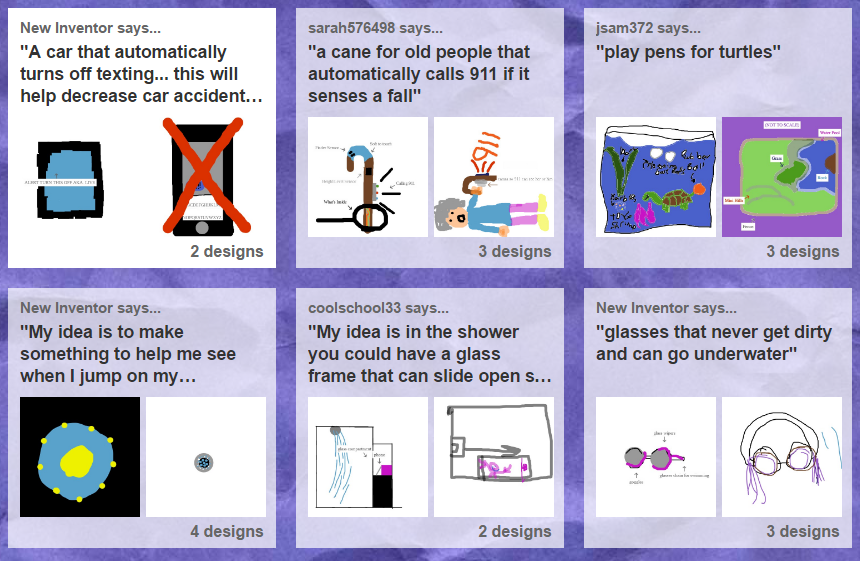
OVERVIEW: This website offers design prompts and allows students to submit their own design challenge. The design tool on the website allows students to draw, explain and share their ideas. Students can compare their own designs with ideas from students from around the world.
TIME: Open ended
MORE INFO: PBS Design Squad Website
OVERVIEW: This website offers design prompts and allows students to submit their own design challenge. The design tool on the website allows students to draw, explain and share their ideas. Students can compare their own designs with ideas from students from around the world.
4) Float My Boat/Flinker
MATERIALS: Aluminum foil, Pennies (or small weighted objects), Styrofoam, Container filled with water
TIME: 45 minutes
MORE INFO: Float my Boat Activity or Flinker Activity
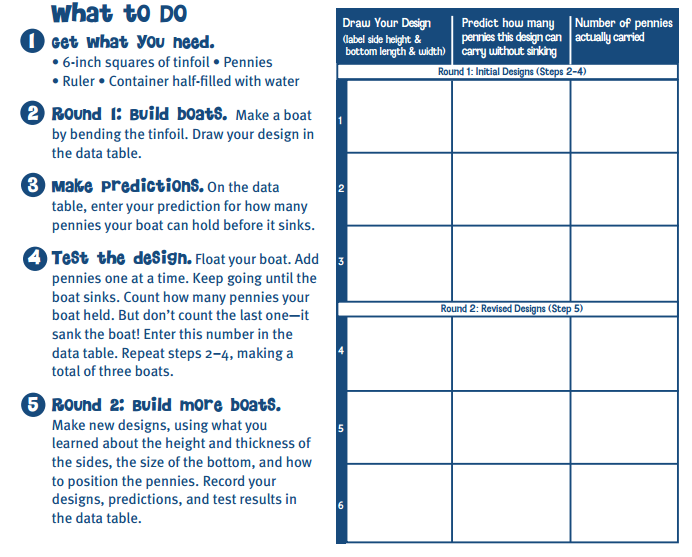
OVERVIEW: With Float my Boat students are challenged to design a raft made 100% out of aluminum foil. Their raft should hold as many pennies (or other small heavy objects) as possible. This activity activates design thinking when students are asked to revise their designs and to build successive prototypes. (Link to PDF Lesson Plan)
Flinker is a related activity where students are asked to create an object that neither floats or sinks.
TIME: 45 minutes
MORE INFO: Float my Boat Activity or Flinker Activity
OVERVIEW: With Float my Boat students are challenged to design a raft made 100% out of aluminum foil. Their raft should hold as many pennies (or other small heavy objects) as possible. This activity activates design thinking when students are asked to revise their designs and to build successive prototypes. (Link to PDF Lesson Plan)
Flinker is a related activity where students are asked to create an object that neither floats or sinks.
5) Hour of Code
MATERIALS: Computers or mobile devices
TIME: Open ended
MORE INFO: Hour of Code list of modules
OVERVIEW: With Hour of Code students complete simple puzzles by designing small sequences of computer code. Hour of Code uses Blockly, an easy to use coding platform that uses snap-together blocks to represent lines of code. Hour of Code now offers several different one hour, modules that fit with different ages and interests. Hour of Code can be completely self led, as new concepts are explained with instructional videos. One popular module lets students design their own Flappy Bird computer game.
TIME: Open ended
MORE INFO: Hour of Code list of modules
OVERVIEW: With Hour of Code students complete simple puzzles by designing small sequences of computer code. Hour of Code uses Blockly, an easy to use coding platform that uses snap-together blocks to represent lines of code. Hour of Code now offers several different one hour, modules that fit with different ages and interests. Hour of Code can be completely self led, as new concepts are explained with instructional videos. One popular module lets students design their own Flappy Bird computer game.
6) STEM Tales
Link on Teachers Pay Teachers
